Project overview
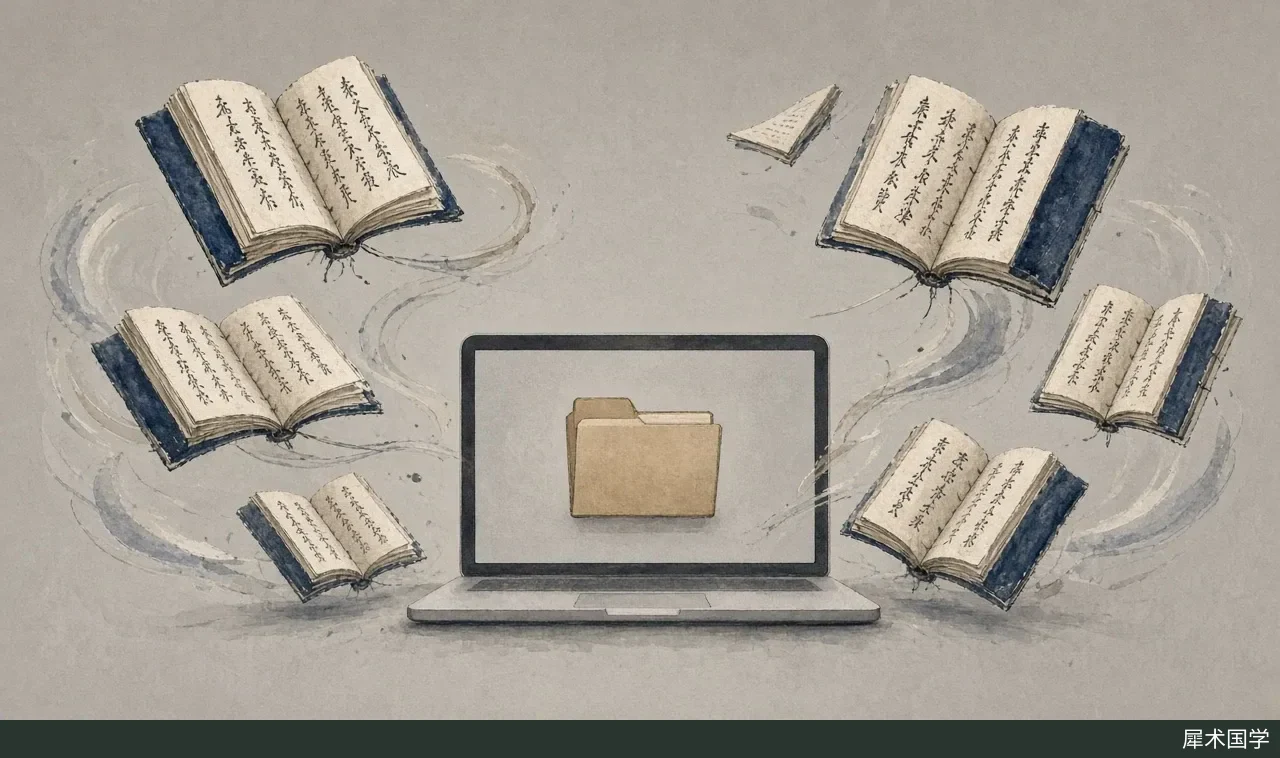
AI-generated schematic: leaf images of rare books held in different places flowing through a downloader into a local folder. Pages and UI are illustrative, not real holdings or software screenshots.
bookget is a rare-book digital-resource download and management tool maintained on GitHub by the open-guji organization. The repository is named bookget-py, written in Python, and released under Apache-2.0. It targets a concrete nuisance: a single title in a digital library is usually many leaf images, split by juan and volume across different pages; opening page by page and saving one by one is slow and easy to miss pages or scramble order. bookget’s approach is that once the user gives a catalog-page URL, the program identifies which site it belongs to, parses the whole book’s volume structure, then batch-saves images and whatever text that site can provide into a local directory in order, and can resume if interrupted. As of 30 October 2026, the latest version on PyPI is 0.4.0, with development status marked Alpha (early testing).
Site adapters and IIIF
bookget uses a plug-in adapter design: each supported site has an adapter that turns that site’s catalog page into a unified catalog structure; download, resume, and storage are handled by the shared core. Per the list generated from the adapter registry in the repo README, there are currently 37 site adapters, covering mainland China’s Zhonghua Rare Books Smart Service Platform, Shidian Rare Books, and the Chinese Text Project; Japan’s National Diet Library, Kyoto University Rare Materials Digital Archive, Kokushu Database, Toyo Bunko, and others; Hong Kong and Taiwan’s National Palace Museum Open Data, Scripta Sinica, Taiwan Chinese eBook Collection, and the University of Hong Kong and Hong Kong University of Science and Technology libraries; Europe and America’s Harvard, Princeton, Stanford, Oxford Bodleian, Cambridge, BnF Gallica, Bavarian State Library, and others; plus general platforms such as Wikimedia Commons, Wikisource, and Internet Archive. What each site can yield differs—most images only, a few also text, PDF, or on-site search; the README table marks each site.
Most of these adapters use the IIIF API. bookget can read IIIF 2.x and 3.0 Manifests directly, so institutions outside the list that publish an IIIF Manifest URL can also be handled by the “generic IIIF” adapter.
How to install
There are two paths. First: download ready-made executables from GitHub Releases—no Python required. The September 2026 v0.4.0 release provides two files per OS (Windows, macOS, Linux): CLI bookget-cli and GUI bookget-ui. macOS and Linux users must first chmod +x; the README suggests running bookget-cli selftest after download to check dependencies. Second: pip install, requiring Python 3.10 or newer, with pip install bookget; required package dependencies are aiohttp, requests, and OpenCC—OpenCC handles traditional/simplified and variant-character folding, and title search and matching depend on it.
Shidian Rare Books is the only exception. That site needs browser automation to download, and the executables omit Playwright and Chromium to control size, so for Shidian you must use pip: first pip install "bookget[browser]", then playwright install chromium. The other 36 sites work with the executables.
Basic usage
Day-to-day use has three entries. Readers who prefer not to use the command line can run bookget-ui, or type bookget serve in a terminal; the program opens a browser page on the local machine for web UI control. Running bookget directly (or double-clicking bookget-cli) enters interactive mode: paste a catalog URL when prompted, confirm download directory and concurrency; the program first explores the catalog structure, reports node count, then asks whether to download all nodes; after one book finishes it returns to the input prompt for the next. Command-line users can compose subcommands into batch flows; common ones:
# Check whether a URL is supported; list all sites
bookget sites --check "URL"
bookget sites --list

# Parse catalog structure only, no download
bookget discover "URL" -o ./output

# Incremental download with resume
bookget download "URL" -o ./output --incremental --concurrency 3

# Batch: one URL per line in urls.txt; lines starting with # are comments
bookget download --url-file urls.txt -o ./output
bookget download --retry-failed ./output/failed_urls.txt -o ./output

# Search by title on a given site
bookget search --site ctext --query "周易"
In batch download, each book goes into a subdirectory named by book ID under the output directory; one failure does not stop the batch—failed URLs go into failed_urls.txt and can be re-run with --retry-failed; if any in the batch failed, the process exit code is 1 for scripts. --no-text and --no-images take images only or text only; --section downloads only a given section. Download directory and concurrency can also be preset with environment variables GUJI_OUTPUT_DIR, GUJI_CONCURRENT_DOWNLOADS, or a config file.
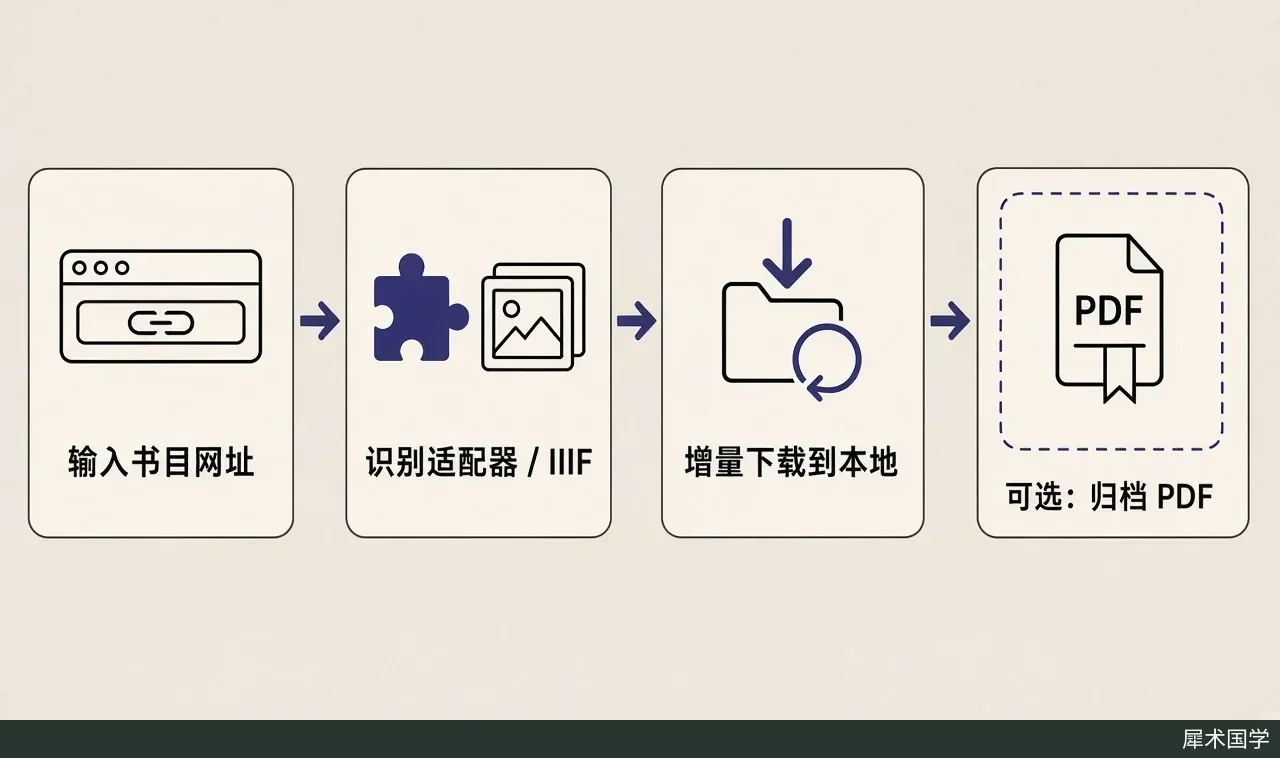
AI-generated schematic: bookget’s basic flow—enter a catalog URL, identify site adapter or IIIF Manifest, incremental download to a local directory, optionally compose an archival PDF. Box sizes do not represent time or data volume.
Archival PDF
Main-branch docs also describe archival PDF: add --pdf when downloading, or run bookget pdf on an already-downloaded directory, to embed images as-is into a PDF, write title, source URL, license, and other metadata, and attach bookmarks and a materials table. The default native engine does not depend on TeX; with TeX Live installed, --engine latex can produce a materials table with selectable text. The guide doc/ARCHIVAL_PDF.md uses National Palace Museum Open Data as an example for whole-volume download, whole-class batch, and post-compose byte-for-byte checks that PDF-embedded images match downloaded files.
Watch the version for this feature: it joined main after 0.4.0 shipped; under the v0.4.0 tag there is neither this doc nor the pdf optional dependency, and PyPI’s 0.4.0 notes likewise omit --pdf. Treat pip- or Releases-installed 0.4.0 as without this feature; wait for a later release, or install main from source.
Software license and image rights
Rights have two layers. bookget itself is Apache-2.0, with copyright “Copyright 2026 开源古籍 (open-guji)”; code may be used, modified, and redistributed freely if the license text and copyright notice are kept. Leaf images and text downloaded with it are not under that license; rights remain with holding institutions or original rightsholders—republication and commercial use follow each library’s terms. Even open licenses have bounds: the project’s archival PDF docs state that the National Palace Museum Open Data CC BY 4.0 covers image files only; when the project uploaded to Wikimedia Commons, works whose titles begin with “民国,” “现代,” or “当代,” and works whose authors died after 1945, were excluded. Batch downloads should also respect each site’s access rules and account terms, and keep concurrency reasonable.
Limits
Limits also follow from this way of working. First, adapters depend on each site’s current pages and APIs; redesigns, anti-bot measures, or login walls can break the matching adapter—Shidian needing browser automation is one case; the project is still Alpha, so commands and output formats may change. Second, leaves download as original files; whole books or batches need enough bandwidth and disk. Third, it only brings resources local—it does no collation, punctuation, or edition criticism: which edition the leaves are, and whether attached text is reliable, still require checking holdings records and critical editions.
Why it is useful
For readers of the classics, bookget’s value is gathering leaf images from thirty-plus institutions at home and abroad onto one machine for comparison and keeping. Reading one classic often means comparing editions, while woodblock and manuscript copies of the same title often sit in different institutions; each library’s online reader works differently, and flipping several tabs makes page-by-page comparison hard. After bookget stores each copy under a unified directory layout, you can flip them side by side in one image viewer, without fearing a site redesign or takedown will lose the page you had. Batch and incremental download suit collecting around a topic: put URLs line by line in urls.txt, download once, then retry failures. The repo’s data directory also ships a parsed Xuxiu Siku Quanshu general catalog (5,580 entries, JSON and CSV) as a finding aid. Archival PDF writes source URL and license into the file itself so later citation can trace provenance. Readers who only need a short stretch of text are better served by each library’s online search; for bulk image collection, edition comparison, or a personal library, bookget fits better.
References
-
open-guji: bookget-py repository README, https://github.com/open-guji/bookget-py (main branch, consulted 2026-10-30)
-
bookget 0.4.0, PyPI, https://pypi.org/project/bookget/
-
bookget-py Releases v0.4.0, https://github.com/open-guji/bookget-py/releases/tag/v0.4.0
-
bookget-py LICENSE (Apache License 2.0), https://github.com/open-guji/bookget-py/blob/main/LICENSE
-
Archival PDF guide doc/ARCHIVAL_PDF.md, https://github.com/open-guji/bookget-py/blob/main/doc/ARCHIVAL_PDF.md
-
open-guji organization site, https://www.kaiyuanguji.com/
-
Xishu Chinese Classics · When minds meet, craft appears in words
-
Information compiled and published by the Scholay academic one-stop platform; report infringement for takedown.
-
Also published on Enter Scholar, a scholars’ community for the intelligent age